Review of New littleBits STEAM Student Set !

20160306_080533

Ayah Bdeir just announced a new kit at SXSWedu today, and I’m excited to share my thoughts on this awesome new STEAM Student Set from littleBits.

There aren’t any new Bits, but this collection has some of my favorite Science/Space kit bits from littleBits and some great accessories for building some simple inventions. Lots of cool sensors, the new updated DC motor that makes building cars easier, pulse, an inverter, fork and more. See the full set here.

My favorite thing about the kit though is the AWESOME book that comes with it. It is evident that littleBits has listened to educators and our ever-pressing need for clear instructions.

20160306_080628

Yes, the maker movement is all about tinkering and playing to learn, but sometimes, you just need basic instructions! I love the larger sized manual and the extensive section on learning how each bit works.  When I did my synth workshop (Thank you, Chad Mairn!!!)  at the beginning of the school year, I followed Chad’s footprints, sharing how each Korg littleBit worked, and it really helped the students focus on learning what kinds of sounds we could make. Plus, it helped us understand what is inside of a synthesizer and how some of our favorite music has been created.

The Manual

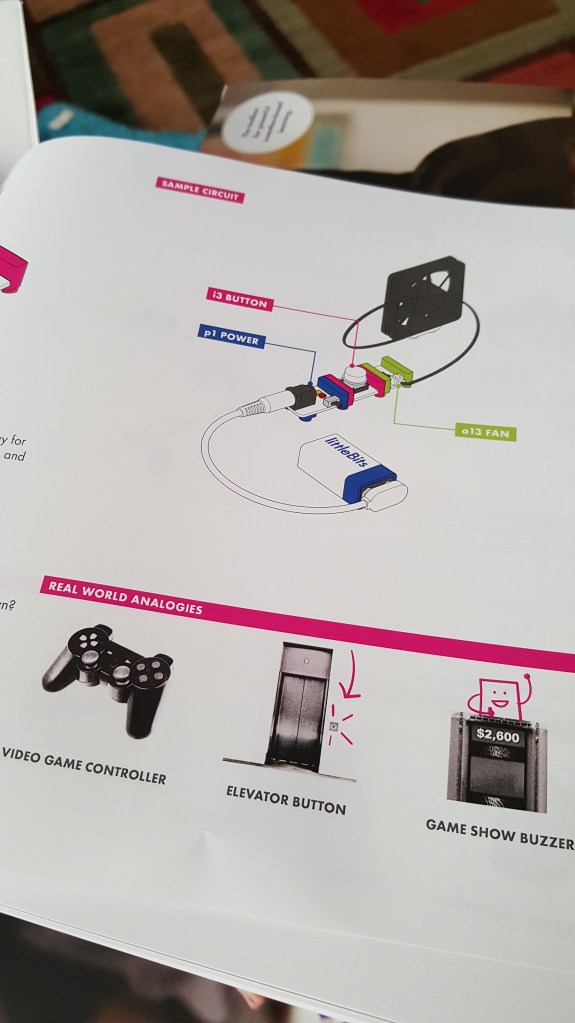
The Student Set manual has great instructions for how each bit works that will really help students slow down and learn about the functionality and usefulness of each component in the kit. I loved the theory my 7 year old had while playing with this section learning about inputs and outputs and how the “button” works.

“When I let go (of the button) the electricity is stuck, but when I press on the button, the electricity is not stuck and it goes through (to the fan).” We went on to talk about how this functions sort of like a gate, allowing electricity to move and keeping the electricity from moving.

I’m all for letting students tinker and play to learn, but I’ve seen quite a few high school students that did not grasp the “input” vs. “output” coloring system as quickly as a younger more playful student might. Instead, they gave up on the littleBits concept and tried something else in our makerspace. I’m hoping these instructions will allow students to tinker and learn with less guidance from an adult.

Real World Analogies

My other favorite thing about this manual is the “real world analogies” section for each Bit. This is another example of a connection that we, as educators, usually “hope” student make as they tinker with littleBits. However, not all students draw these connections while tinkering, so being included the manual is just bonus awesomeness for me.
20160306_081250

Temperature Sensor

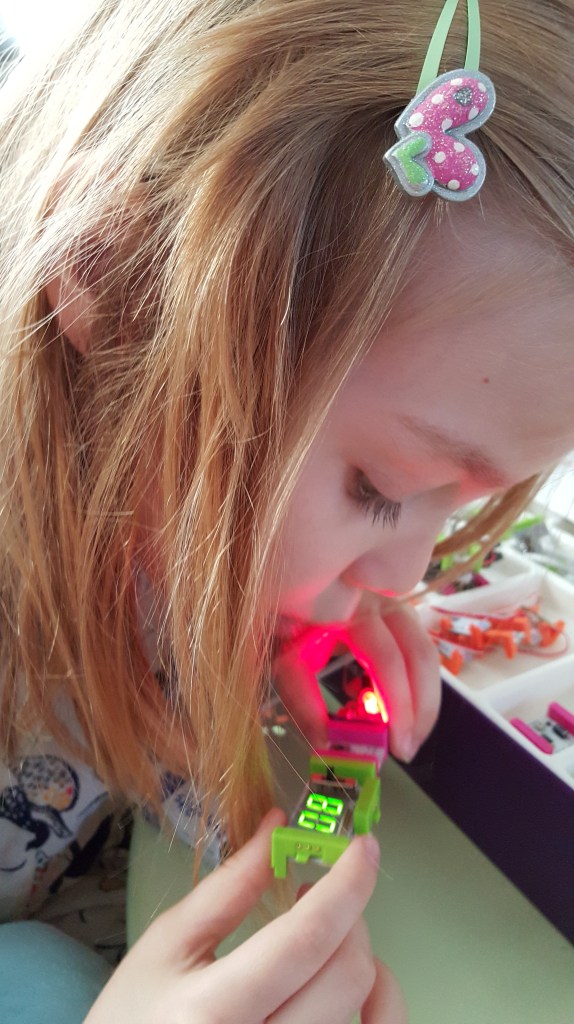
When my daughter started playing with the temperature sensor, she immediately thought it would be cool to see if she could change the temperature reading on the numberBit by blowing on the sensor. Again, it’s important to note that littleBits are not new around my household, but the instruction manual made her see littleBits in a new way and unlocked some of that magical curiosity we love to see in our younger students.
20160306_081646

Prototyping Tips

I love, love, love these prototyping tips! Some of my students often get caught up in perfection and their first idea and they don’t try enough different prototypes to really understand the invention cycle.  Thank you for these tips! Can I have a poster for my makerspace please, littleBits?

20160306_082336

Projects

I like that littleBits has put together real steps for making specific projects. Again, I am all for students creating and inventing on their own, but it always helps to follow some basic instructions first. Especially when you are learning how something works. Too many times, if a student doesn’t understand basic concepts or how each littleBit works, they cannot create an amazing invention. Following a few projects is a great way to help students learn the language of Invention Literacy (something I learned about from Jay Silver) and demystifying how things work. Personally, I’ve been learning to use Arduino the last few years by following and completing projects written by others. I’m only finally to the point now after 3 years where I feel confident enough to create Arduino projects based on my own ideas (3 wearable Arduino projects coming out in my new book!)

The”Invent a Self-Driven Car” is a super cool project, but I wish the kit included the wireless receiver and wireless transmitter so we could invent our own remote control to drive our car, but I guess that is included in the Gizmos and Gadgets kit. Other project instructions in the kit include an art machine, a throwing arm and a security device.

20160306_083524

Inventing

After learning in depth about the bits and making the first project, my 7 YO was ready to start tinkering and seeing what else she could create. She quickly pulled out the forkBit and added a few inputs and outputs. She said, “Mom, why isn’t this working?” When I pointed to the placements of inputs and started to explain, she said, “Tricked you! This only works if I press this button AND move this slide switch.” Wow. My 7 year old just explained AND gate logic? And after just 30 minutes of playing? That’s pretty awesome.


Open Challenges

I love the last section of the manual as well. There are 4 open challenges encouraging students to “Hack your Classroom”, “Invent for good”, inventing a Rube Goldberg like contraption, and lastly a “hack your habits” challenge. I’m hoping to institute the “Invent for Good” challenge at my own library and see if my own students can “invent a product to make a difference in someone else’s life.” My students came up with some pretty cool stuff during the littleBits Halloween Challenge.

Issues

My 7 year old and I still had issues mounting littleBits on the mounting board (this has always been a pet peeve of mine), but its time for me to look into the other mounting solutions offered by littleBits and now that this manual has a full description of each, hopefully I’ll find a new preferred method!

UPDATE: My set was a sample set and luckily littleBits is already on the mounting board case! The new STEAM sets will come with new MOUNTING BOARDS! Lucky you! These look pretty cool and I can’t wait to get my hands on them. I like how they somewhat resemble a PCB Breadboard.

Lastly, the box says it ideal for 3-4 students, but I would expect to use this as more of a partner activity with no more than 2 students per set.

Last but not least….

I just found out from Diana Rendina that the Teacher Guide is available for free! So go check it out and pre-order your new littleBits STEAM Student set today!

Disclaimer: This review consists of my own opinion. littleBits sent me a complimentary student set for this review, but otherwise I am receiving no compensation for this write-up.


2015 Wrap-Up

2015 wrapup

As the phenomenal 2015 winds down, I started thinking about all the greatness that was wrapped up in the last 12 months and it’s hard to believe all of the things that have happened since last January. Just writing this post has been eye-opening!

WordPress

First off, about this time last year, I coaxed my graphic-designing-librarian-buddy Kristi Taylor (of Keen Bee Studio ) into crafting a logo for this new blog site. She helped me set up this new host for my blog and generally made my life more awesome. She also makes really great shirts for librarians. You can check them at Teespring or Etsy.

Top Posts and Pages

After a year of blogging at WordPress, what do my readers enjoy the most? Librarians really enjoyed my Social Media as Library Advocacy posts part one and part two. However, I was most surprised in reviewing my stats to see that my review of popular robots (Sphero, Dot/Dash, etc) is the most viewed post of 2015! Because of this you’ll be reading a lot more reviews in 2016. I’m already planning on talking about my favorite wearable resources, Kano computer kit for kids, and the new Makey Makey Go.

And of course, people love reading about the #makeymakey challenge between my Lamar students and Diana Rendina’s students. If you haven’t read it, you should because Diana and I have some big plans for 2016!

My top pages of course are my makerspace resources; makerspace lessons by resource; and shiny, new #elemaker resource page.

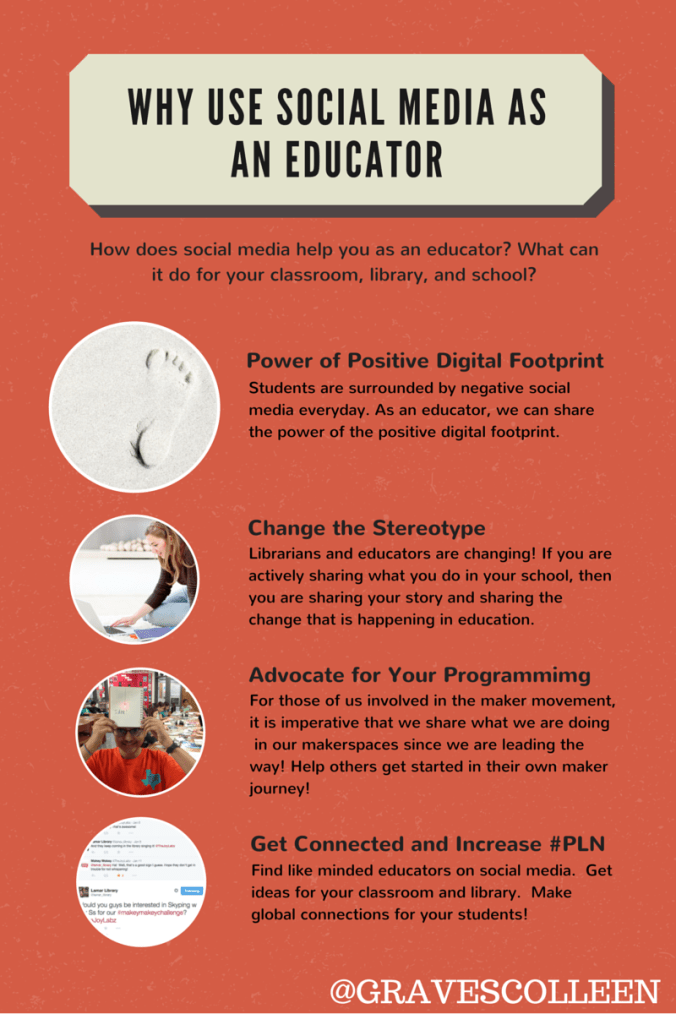
Why use Social Medai Blog Graphic

Awesome Stuff

Diana Rendina and I began the Makey Makey challenge in January. (We challenged our students to make their own games in Scratch and design game controllers to match the theme of the game.)  I quickly realized we needed MORE to get the kids beyond the banana! I asked the Makey Makey guys through Twitter if they would chat with us and they said, “YES!” And that is pretty much the beginning of awesomeness in 2015. The whole team spoke with my students at Lamar and really got us thinking about inventing and innovation. Read more about the Makey Makey Challenge here.

Presentations and Webinars

2015 was a big year for presenting for me.  I started off by presenting at TCEA with Leah Mann, Deanna Segler, and Tina Beruman on STEAM powered Libraries right after Lamar’s chat with Makey Makey. Emboldened by the mentor expert chat and challenge-based learning, I found I really enjoyed speaking.

In March, Leah and I presented together again at SXSWedu by leading a core conversation on STEAM and Makerspaces in libraries to a full house of international edumakers.  Our convo is included in this write-up by SLJ “Maker Librarians Bring it to SXSWedu.” It was so amazing, fun, and educational, but I’m sad to say that the recording didn’t make it. I wish you could’ve been there. Read my SXSWedu takeaways here.

1

Core Questions at tackk.com/0e52k9#


Aaron (#thesuperlibrarianhubs) and I led a session at TLA TechCamp where we talked about incorporating a makerspace into current library programming and discussed how making goes hand in hand with research. We also led the makerspace for teens at TT4L and we couldn’t have done any of it without donated supplies from Sparkfun and the awesome Bev Ball who sat and chatted up librarians about awesome maker stuff while we presented and helped us lead the makerspace for teens. (She is an amazing human!) We met lots of great authors on the trip and lots of great librarians! ( TLA takeaways post here.)

I did a few  regional conferences over the summer, led a full day workshop for Librarians in Round Rock,Tx, and led a half day workshop in South Padre during a STEAM convention for Region One librarians this past October.

This summer I was asked to lead a webinar for librarians on “How to Start a Makerspace” during SLJ Maker Camp, and I was presently surprised to see that Jay Silver would be sharing the hour with me and answering Q&A at the end.

selfie w Jay

Screenshot Selfie with Jay Silver of Makey Makey

SLJ enjoyed it so much, they asked me back for the Oct SLJ MakerCamp and this time I closed the whole four week session with a webinar on “Makerspace Buy-in.” You can see my presentation in this post and read the write-up by Melissa Techman here.

October was pretty busy as I also led a littleBits webinar with SLJ to showcase my new Librarian’s Guide to littleBits. It’s like a novella on using littleBits in public, school, and academic libraries. More on this guide in the next section.

Writing

In May, I had an article published in School Library Journal on the “Evolution of a Makerspace ” at Lamar. I was also asked to write an article for Edutopia on Starting a School Makerspace from Scratch.

The chat with the Makey Makey guys in February led to a conversation with the team about Makey Makey lessons for their webpage. (If you want to know the whole story, read more here.) I spent the spring and summer making stuff and coming up with new ways to utilize the Makey Makey in education. I hacked some existing projects and attempted to make them educational. One thing I’d always wanted to try was the Operation game, and I’m pretty proud of the way I turned it into a math/science lesson!

Aaron also helped me with updating the eternal physics/hot-wheels lesson by upgrading it to include a Makey Makey switch and Scratch timer.

See all Makey Makey lessons here.

At the end of the summer, littleBits called me about writing a Librarian’s Guide to littleBits. I spent the rest of my summer break researching and chatting with other librarians about how they use this prototyping tool in their libraries. I ended up writing almost a mini-book, so please go check it out if you want to know more about using littleBits in your library!

To Be Published in 2016

The #superlibrarianhubs and I are working on two books that will be published in 2016! (And we might be working on a proposal for a third… shhhh…..)

First is our Big Book of Makerspace Projects to be published by TAB/DIY an imprint of McGraw Hill. We are stoked about this one because it means we spend our weekends making stuff and writing about it. This hearty makerspace book will cover small and low cost projects, coding projects, wearables, and more! We are including projects simple enough for beginners and complicated enough for technology hobbyists/maker enthusiasts.

The second is Challenge-Based Learning in the Library Makerspace to be published by ABC-Clio and co-authored with our favorite makerspace maven, Diana Rendina of Renovatedlearning.com.  This promises to be a necessary guidebook for librarians beginning their makerspace journey and handy resource for intermediate/advanced makerspace facilitators ready to take that next step in student learning and innovation.

Upcoming Speaking/Presenting/Workshops

Next month I’ll be leading a webinar on Robotics in the Library (More info to come.)

Aaron and I are leading the makerspace for TCEA’s Library Academy and breakout sessions will include: Makey Makey in the Classroom, Programming with Sphero, and littleBits Challenges.

I’m also leading a full day makerspace workshop in Leander ISD in February.

Diana, Bev Ball, and I are presenting a snapshot at ISTE on getting more girls involved in STEM.

I’ve got a few other speaking engagements that the details need finalizing, so who knows what else 2016 will hold?

Big Changes

I also left the middle school world at the end of the school year last year, spent the summer remaking my new to me high school library, and am adjusting to life at high school.  Preplanning post, visual update, artbot mania, and, programming a marshmallow, and a soldering workshop are all interesting reads on the transformation so far.  This spring I’m planning on a HS Makey Makey challenge, some Sphero activities with BLAST, and an afterschool tech camp for girls.

Top Reads of 2015

Lastly, I wouldn’t be a librarian if I didn’t talk about my favorite reads of 2015! I encourage you to check out these books if you haven’t yet! I probably read over 100 books this year, but these are the shining gems in my memory.

YA Lit

  • Red Queen by Victoria Aveyard (See my review over at Nerdy Book Club.)
  • Upcoming novel Serpent King by Jeff Zentner (publishing March 2016- and post from me coming soon!)
  • The Rest of Us Just Live Here by Patrick Ness  – I love the concept for this book. It’s kind of like the storyline for all of the “other characters” and what their storyline is like in a book like Twilight.
  • The Honest Truth by Dan Gemeinhart – So heartfelt and a great crossover middle grade book- reminded me of Wonder.
  • Denton Little’s Death Date by Lance Rubin – I never knew death could be so funny.
  • The Diviners by Libba Bray -I know I know… it’s from 2013, but I’m late to reading it since I’m new to high school. Let’s just say I devoured this 600 page book in a couple of days. I love the 1920s historical Gatsby effect combined with horror, supernatural, and thriller aspects. Plus, I’m now on Lair of Dreams which did come out in 2015 and is equally awesome.

Nonfiction

Picture Books