
#SXSWedu Makerspace Core Conversation and Takeaways

Screenshot 2015-02-20 15.50.21

The SXSWedu conference was transformational! I was only able to attend a couple of days, but those two days have me buzzing with ideas! I met so many great and talented people I hope to collaborate with in the future.

My colleague, Leah Mann and I led a Core Conversation regarding Makerspaces and STEAM labs early Wednesday morning. We were worried no one would come, but instead we packed the house and learned so much from everyone who attended! I’m hoping SXSW recorded the convo and if so, I’ll upload it here later.

For now, check out all the #SXSWedu links regarding my session with Leah Mann:

Vendors, Playground, oh my!

Check out all of the awesome companies and people I met while at SXSWedu. I found LOTS of companies wanting to get more girls involved in STEM! Plus, some cool maker kits that I haven’t seen available before.
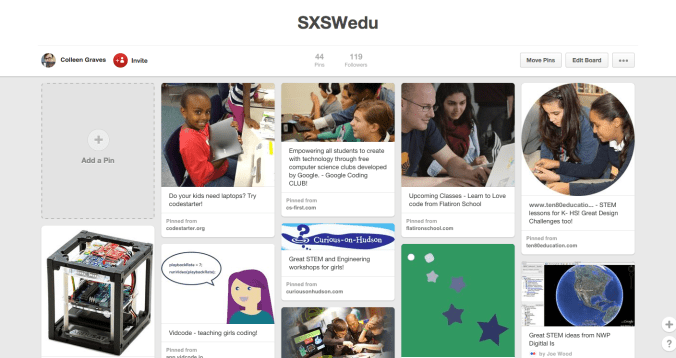
SXSWedu Pinterest Board

SXSWedu Pinterest Board

Follow Colleen’s board SXSWedu on Pinterest.

My Takeaways

  • Getting girls involved in STEM is the next big thing! This topic infiltrated our core convo right from the start! We discussed a lot of way to get girls into our makerspaces and KEEP them there. Please add your own ideas to our Shared Gdoc from our session. Plus, I found lots of great STEM lessons and programming ideas for girls at the SXSW edu expo AND the playground! (see Pinterest board above)
  • We discussed different ideas around Design Challenges and which was more guided, a challenge? or a workshop? I’d love to spend another whole conversation discussing this! I see workshops as guided and challenges as open, but a few of our participants had other ideas.  It just goes to show that we are paving the way with this maker movement!
  • I mentioned that during my summer Maker Camp, Anne  from the Fort Worth Museum of Science and History mentioned that one is either a  “Maker or a Tinkerer.”  After our session a man asked me, “Is a Tinkerer a Maker on a random walk?” I loved this metaphor, and it got me thinking that this is another great discussion waiting to happen.  What is the difference between these two? And what is our end goal? To create makers or tinkerers? I see making as following instructions, and tinkering as a precursor to innovation. My goal is to create tinkerers who will become the Steve Jobs or Jay Silver. I also love this idea from Matt Wallaert on Twitter:
  • Lots of our discussion focused on workshops, guided making, and free time to work.
  • One thing we all agreed on was that Maker Education NEEDs to be integrated into the core curriculum.  Afterwards, we even had a few participants ask us about adding this movement to textbooks?
  • Another focus that seemed to be a thread through the whole conference is that educators and developers need to get together and discuss what it is we need from these companies.  I think SXSWedu is a great venue for exploring this avenue.
  • A few sessions I attended mentioned that our students are going to have no jobs when they graduate, and they will need to learn the art of creating a job – in other words, we need to prepare our students to become self starter entrepreneurs.
  • I had a great convo with Kathy Ishizuka from SLJ and I can’t say much, but LOOK for something awesome regarding MAKERS and LIBRARIES THIS SUMMER!
  • Last but not least, be open to all possibilities if you attend SXSWedu.  I missed out on this #ideadrop on Schools and Libraries and STEAM labs, and I’m so sad about that.
  • My brain is still trying to synthesize this whirlwind of learning! So check back for updates!

Makerspace Resources for School Librarians

Screenshot 2015-02-20 15.50.21(Updated post from my Podbean Site) Updated 3/14/15

Summer 2014 I was asked to present a webinar to Ohio School Librarians for InfOhio. The recording is available here.

I also created a resource list (adapted from a collaborative presentation with LISD librarian, Leah Mann) and year long programming ideas that I will continue to update on this page.

WEBINAR RECORDING:http://goo.gl/QTi36k

SITES TO VISIT FREQUENTLY:

GREAT BOOKS FOR YOUR PROFESSIONAL LIBRARY:

GREAT BOOKS FOR YOUR SCHOOL LIBRARY:

FREE WORKSHOP IDEAS:

  • Maker Journals: http://www.makered.org/tag/makerspace/ (How great would it be to have a maker journal all year? Or use Maker ed as authentic research? Kids could have to make something in small challenge groups and record all findings and modifications in a maker journal! Please teachers, let’s collaborate on this idea!)
  • Costumes (Even from paper!)
  • Card and board games
  • Inspire kids to invent and create with Rube Goldburg: http://www.rubegoldberg.com
  • Make Retro games: http://www.sploder.com/
  • Make your own Squishy Circuits
WRITE A GRANT*- GET COOL STUFF:

Good for Upper ES- HS

  • Makedo Kit (Make anything with cardboard) – Great for ES and Caine’s Arcade
  • littleBits Pro library  or One of Everything – Good for learning about sensors, synths, and basic electronics
  • Makey Makey (Order a class set and order extra alligator clips) – excellent resource for teaching the basics of circuits and electronics
  • Hummingbird Kits (Order 5) – a little more complicated and require coding
  • Arduino (Once your kids have mastered littleBits, Makey Makey, and still want to learn more….) 
  • Raspberry Pi (Look at Adafruit’s project page so you’ll have some ideas on what else you need to order besides this microcomputer. )
  • Sphero 2.0 ( I call Sphero my library cat, but go ahead and order a class set. These guys can help students visualize distance, rate, time, and percentages! Ollie is just for fun though!)
  • Snap Circuits (You can actually order a lot of these kits from Barnes and Noble) 
  • Sugru: Crazy cool stuff for toy hacking workshops, creating your own battery cases (You can also buy this from Adafruit)
  • Verve: Legos of the Future (This looks like a blend between littleBits and Makey Makey)
  • Circuit Scribe: Draw your own Circuits
  • Bare Conductive : Electric Paint
  • Sparkfun Inventor’s Kit — Great kit for learning Arduino.  You can use Ardublock on Sparkfun’s site to help kids with coding Arduino with a drag and drop platform.  (Also, learned about an extension created by Kreg Hanning where you can program your littleBits Arduino module in Scratch! Go get that at his github!)
  • Digital Sandbox– All the power of Arduino without having to plug in all the tiny pieces.  A good starter to teach 4th and up about programming and move them into Arduino later (Also works with Ardublocks which looks like Scratch!)
  • Wearable Electronics for soft circuits like Flora or Gemma (But again, have a specific project in mind and buy all accoutrements)
  • 3d Printer (I’d wait for these to come down in price become more efficient)

Good for Lower ES

  • Makedo Kit
  • Bee Bot : Codable robot for littles
  • Cubelets: Cool snap together cubelets that teach you about robotics! (Good for MS)
  • Kibo Robot : Snap blocks together, scan, and watch Kibo go! I love that this teaches coding skills in a kinesthetic way!
  • Dot and Dash: Good programmable robot that kids under 2nd grade can handle
  • Paper Circuits: Copper tape, 2032 coincell batteries, pre-printed instructions
  • Rocket projects- balloons duct taped to Hotwheels, DIY stomp rockets, lots of good stuff out there on Instructables! (Good for MS)
  • Tegu Building Blocks
  • K-nex and Legos (Also good for MS)
  • Blink Blink Kit– Fun paper circuit kits
  • Rigamajig – Build crazy cool stuff like catapults and pulleys- flat packs for storage
  • Mobile Mag Wall for libraries– LOOKS AMAZING!

*What if I can’t get it all? Decide how you want to run your space. Do you wanna have workshops or challenges? A challenge lasts a lot longer, so you could buy 10 sets of Makey Makeys and run a challenge for a few months.  Or get 10 Spheros and do a different Sphero challenge each month. Just keep stretching your ideas and see where your imagination can take you, but don’t get bogged down ordering a lot of stuff you do not know how to use.  Buy a set of something and see where it takes you!

ASK FOR DONATIONS:
  • Brushbot supplies: Scrub brushes and Electric Toothbrushes from the Dollar Tree
  • Old car toys (Rocket propelled w balloons), balloons, old car toys with gears or switches, electronic motors for scribble bots (can buy from Radio Shack or get them out of a dollar store toothbrush), wire cutters, wire from phone lines (like old internet cords, etc), alligator clips, old tennis balls, old computers, old electronics, empty/cleaned coffee bags, oatmeal containers, 2 liter bottles, Modge Podge
OTHER RESOURCES:
TWITTER:
  • Subscribe to some Maker lists like: Maker Ed by Diana Rendina, Makers by Clay Forsberg,  Maker Space by James Herzing,  Maker BFFS by Colleen Graves
  • Use Hashtags:  #makered, #makerspaces, #makeymakey, #kidscancode, etc
  • Join our PLC Maker chat the first Wed of the month from 10:30-11:30 #makerlibchat

MAKER WORKSHOPS/ LESSONS FOR THE WHOLE YEAR 

Month Low Tech High Tech Cur Connections
August Origami LED Origami

Scribblebots

Brushbots

Math/Angles/Art
September Duct tape projects Little Bits-space kit-synth kit

Snap Circuits

Science/Music/Science
October Makedo- make something with cardboard (Caine’s Arcade) Frankentoys- make it light up or move, etc with Hummingbird

Great resource here or buy Sugru to make interchangeable toys

Rolly bot– Like Sphero but made with a brushbot

Art/Science
November Nanowrimo http://nanowrimo.org/ Interactive book w Makey Makey

Scratch coding  -Use resources from Pursuitery. (See below)

  1. Chasing Game Challenge
  2. Maze Game Challenge
English- Story writing/Science- Electricity, conductive materials, circuits
December Upcycle old picture books into coasters w Modge Podge (Find words and make your own magnetic poetry style coasters, or make story coasters.) LED Throwies

Hour of Code

#catapultchallenge

English/Programming/Physics
Jan Cardboard Mazes w Makedo Game Controller Workshop w Makey Makey (from MakerJawn) o#MakeyMakeychallenge –Challenge them to create their own game and invent their own game controller. 

Logic Puzzle w Makey Makey

Digital Storytelling with Scratch

Math- X/Y Axis, Equations, Computational Thinking/ English- Interactive Story idea changed into a logic puzzle
Feb Unmake stuff Get kids to bring old stuff Paper Circuits- Interactive Greeting Cards( Circuit Scribe or Bare Conductive)  #MakeyMakeychallenge cont. Science- Electricity, conductive materials, circuits
March Make your own Ukelele Arduino Music ProjectsSphero Obstacle Course using Macrolab or Sphero Chariot Challenge Music/Art/STEM
April Rube Goldberg Challenge – Motion projectsWind Turbine Challenge: http://challenge.kidwind.org/ Animated Poems with Mozilla WebmakerHummingbird robot poems Makey Makey Maze w Brush Bot

Sphero – Chariot Challenge and Obstacle Course Challenge

Poetry/English/Science/Engineering
May Upcycle a Day for the Month of May! – Coffee bag idea Raspberry Pi Photo booth  

Inventions for math “market”

Math- Market /Science- Recycling, properties of materials

Scratch Lessons (from Pursuitery )

Chasing Game Challenge:

Maze Game Challenge: