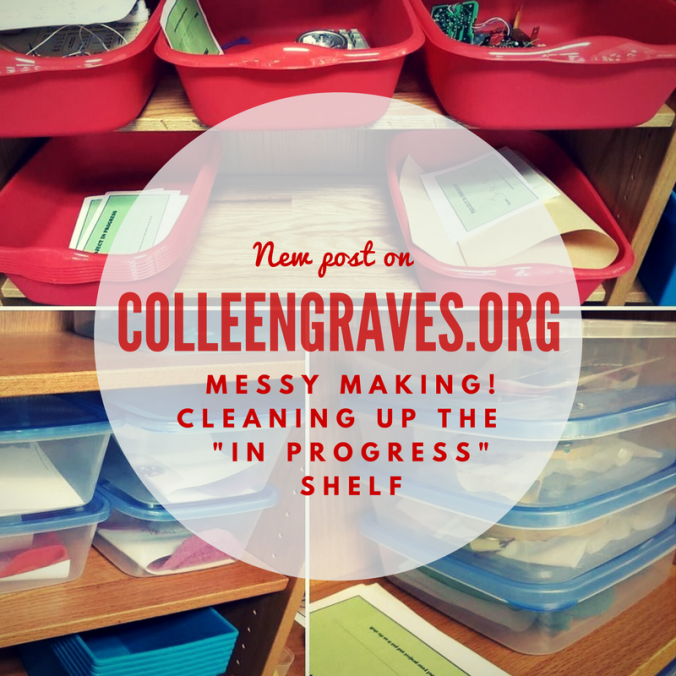
Early in February, I decided it was time to tackle the messiest area of our makerspace. Nope, it’s not our maker supply storage, thanks to Leslie Terronez, we cleaned that up last year. It’s not our littleBits cabinet (although, yes, it needs frequent re-organization.) It’s a little old area, I’ve been tinkering with since 2015…..
…..the maker “In-progress”project shelf.
The First Attempt at a Project Shelf
The concept behind this space is having a dedicated place for where students to keep projects they are working on, so that they can work on them over extended periods of time. This idea became a necessity back in 2015 when I was hosting an extended design challenge in my middle school makerspace at Lamar Library. The MakeyMakeyChallenge was one of the longest running project adventures my students embarked upon, but I quickly found they needed a place to store their inventions. So at the time, I just took a flexible shelf (I think it was hosting bricolage for making), cleaned it off, made a simple sign and told students to keep their work here.
As you can see, it’s quite messy, but it was frequently in use! I continued this method at Lamar because it seemed to be working. However, students would never grab a “project sheet” and put their name on their work. (Go figure!) Plus, when the middle schoolers were at the heart of their KNEX giraffe “alpaca”-lypse making, other students were starting to mess with their work.
Second Attempt at an In Progress Shelf
At Ryan, I kept an empty shelf right by our tinkering tables that also functioned as an project “in progress” shelf. I had better success when I dedicated one shelf to my sewing circuit club, but I was still having issues with this area of making.
In fact, the area was so messy because students still weren’t labeling items. But often times, projects and supplies would sit… and sit…. and sit…. on the “in progress” shelf. At one point, I realized something….
Not all projects are meant to be finished!
How many times have I started and not finished a project? Probably HUNDREDS of times! So, not only were my students not leaving their names on their work, they also weren’t coming back to disassemble any unfinished projects. Plus, the students that were utilizing the space correctly noticed that other students would take pieces from their projects. The “in progress” shelf was “too accessible” since some student work was not safe from prying hands.
I apologize for not having any pictures of the extremely messy area for comparison, but it wasn’t until I cleaned the whole area up that I realized how beneficial it would be to see the area before!
Third Attempt at an “In Progress” Shelf
To combat messy shelves, lingering projects, missing names, and student interference with projects that were not their own, here is what I did. I bought containers, created signage, and created “expiration dates,” and a “re-purpose it bin.”
I went to the Dollar Tree to buy a plethora of storage containers. I wanted small containers for paper and sewing circuits, larger tubs for oversized work, and medium size containers for flexible work.
Since I’d recently moved all my makerspace storage items to a “classroom” area of the library, my previous shelving by the circulation desk was open for new business! This means we could do a better job keeping “in progress” projects safe! I also decided (again with the help of Leslie Terronez) that the BIGGEST problem in this area were that projects would turn “stale.” So I created an “expiration date” label to put on every bin.
Expiration Dates
Projects are labeled with a two week “expiration date” and can be “renewed” if a student needs more time to work. But this way, if a student starts a project, and doesn’t work on it again for two weeks, I won’t feel bad taking it apart and putting it away!
These red tubs are great for classroom projects (like our stop motion book trailers) and design challenge activities!
Signage
My student aides designed a “how-to” poster for the area, that I hung up next to my Canva made “Projects in Progress” sign. My favorite part is the declaration “We keep it safe!” They also made some “Project in Progress” slips for students to put their name and date on before tucking their bucket onto the shelf. The slips combined with a specific bucket, seem to be helping some students with remembering to put a name on their work!
Repurpose it Bin!
Lastly, we have two large bins at the bottom of this shelf labeled “Repurpose it!” Once student projects go “stale” or sit too long “in progress,” then my aides will move the items into the repurpose it bin (or back to maker storage if it isn’t a consumable item.)
Successes and New Problems
It will take awhile to teach students how to use the area properly since I’ve done this mid-year, but all in all, the area has stayed clean! Also, while we were knee deep in greenscreen and stop motion book trailers, the tubs just made sense to most students. They felt safe leaving their work, remembered to label their names, and came back the next day to finish working. Plus, the small tubs for paper circuits were considerably helpful when students were making “electric love letters” for Valentine’s day.
So, now I’m at point where I have to actually upcycle/recycle the stale student projects. It’s still difficult (for me personally), but will be easier with a clear date that shows me the student hasn’t been back in awhile.
And a new problem I’m experiencing is a student that is hoarding supplies. One of my frequent makers sees the “in progress” shelf as a great new way to hoard littleBits. He is working on a specific project, but happens to be utilizing almost every LED bit! His project is complicated, so I understand the need to save Bits so he can work from day to day, but I’m unsure how to get him to be respectful of others wanting to tinker with littleBits when he isn’t working on his project.
So how do you keep track of student maker projects in progress? Do you have a dedicated space? What works? Better yet, what doesn’t work? Share your successes and failures so the whole maker community can benefit!
 Petite Texan: Pack, Pedal, Paddle