Invention Literacy Wrap – Up 2017

This year’s Invention Literacy PBL was hard fun and a great experience! I was stoked to try out this PBL with two different English classes.In April/May both a 9th grade ELA and 10th grade ELA teacher came to the library to explore the invention literacy concept. Mrs. Melvin’s classes explored materials as the intro to this PBL, while Mrs. Feranda’s classes attended the Melvin’s students’ maker fest. If you didn’t read about the 2016 Invention Literacy project, read about it here and read more about the big ideas behind Invention Literacy here.  (My obsession with this concept was inspired by Makey Makey co-inventor, Jay Silver.)
Pinecrest Slides Making and Literacy (1)

PBL Format

We started this year’s project by having students explore materials and techniques with cardboard, circuits, LEGO, Hummingbird Robotics, etc. For one teacher, Mrs. Melvin, I made a list of materials they could explore and let students choose a material to learn more about.Instead of having stations where students explore all materials, they chose something to work with to explore this day. So if they decided they wanted to make something with littleBits, they explored littlebits and started prototyping. If they decided they wanted to build something with cardboard, they explored cardboard techniques! This material exploration was based on a workshop I attended at SXSWedu with Erin Riley, Christa Flores, Patrick Benfield, and Sean Justice.

For Feranda’s classes, we had guided stations with cardboard techniques, squishy circuits, and a write-around activity with Jay’s Invention Literacy Medium post. (Similar to how we started the PBL last year.)

After material exploration, our students focused their thinking with this driving question:

“How does ______  work and can I make my own version of it with recyclables and available material?”

After brainstorming invention ideas, students were required to research the history of the invention, and discover how the invention works. For students that still weren’t sure what they wanted to make, I shared a list of crowd-sourced invention sites as well as tips for evaluating crowdsourced resources. (If you are interested in this concept, Aaron, Diana, and I wrote a lot of info about crowdsourcing research in our Challenge Based Learning book!)

Here are my favorite crowd-sourced sites to look for invention ideas:

Reputable Sites for Inventing

After deciding on an invention and researching the history and some material ideas, the students spent time prototyping and making the invention with the materials we had available in the library.  While students could create projects based on other things they’d seen in the sites above, we told them they had to change it in some way and make it their own. For some students this meant substituting materials and for others it meant completely running with a new idea.  Big concepts tied to maker mindset seen in this project were:

    • Seeing everyday materials in a new light with inventive material usage.
    • Encountering real problems and tinkering to problem solve with creative solutions.
    • Allowing students to pick up new skills when needed instead of being directed to learn specific skills.
    • As teachers, stepping back and letting kids try new things, experiment with ideas, fail forward, and persevere through failure.
    • Allowing students to own their learning!

Read more about how the prototyping experience helped immerse our students at Ryan in the maker mindset in this previous post on the 2017 PBL here.

Adding Exploration and Documentation

One thing we added to the PBL this year, was exploration of materials as an intro to making. I think the students who were allowed the freedom to explore whatever material they wanted, ended up making more unique projects than the students who explored materials in set stations. Partly this is because some student explored materials they were unfamiliar with and found new things they wanted to use in their inventions. The open ended exploration also made certain classes focus on certain types of making like making things light up or building things with cardboard. However, the outcome of learning seemed similar for both.

Adding Documentation

Three days into prototyping, Mrs. Melvin and I noticed that some students appeared to be starting from the beginning.  However, we knew we’d seem them engaged and working consistently.  For three days they had tried ideas, failed, and improved their thinking. Unfortunately, they hadn’t tracked this learning because we didn’t have documentation as part of our process yet.

For this reason, Mrs. Feranda and I instituted some time for students to document and reflect on their learning after prototyping each day. For documentation, wtudents wer asked to take a picture of what they worked on for the day, summarize what they learned, and discuss any new skills they picked up. By incorporating documentation, we were able to stress to our students that the process is more important than the outcome. We were able to celebrate persevering through failure and celebrate all the new skills kids added to their toolbox as they were making their inventions.


Arkansas Summer Maker Workshop.png

Cool Stuff Kids Made

The students were really into building things out of cardboard and crafting DIY circuits and switches this year. Mrs. Melvin helped me teach so many kids how to sew circuits for wearables projects! One of my favorite was a light up dog collar that a student made for walking her dog at night.  These videos compile a lot of cool stuff our students made:

The dog collar project got me thinking that I’d like to have inventions focus on empathy this next school year.  However, I still see a lot of validity in letting students experience figuring out how to make something just for the challenge of understanding our world.

This PBL creates authentic problems for students to solve, especially if you push utilizing inventive materials.  Running into lots of problems was a very good lesson for our high school students, as many of them said they were not used to being able to do their own thing during the school day.

Reflections

Students reflected on their invention process with Flipgrid videos, but Mrs. Melvin also had them write reflections.  We found out that many students didn’t realize they could be creative, nor did they realize they could solve their own problems. Here are some of  Mrs. Melvin’s favorite reflections from our sophomores:

  1. What skill/skills did you have to learn in order to complete your project?  
  • Problem solving and Improvisation  
  • Team work
  • Patience
  • Communication
  • To not give up and to keep going
  • You have to work with what you have
  • Sometimes you have to alter instructions to fit your circumstances
  • I’ve learned to share my ideas with another person and give my opinion instead of keeping the creativity to myself. It helped me be more patient when working with partners because i couldn’t go as fast as i would by myself. I now realized sometimes i can create something better with someone else.
  • How to work led lights and the safety of cutting styrofoam.
  • Learning by doing
  • Understanding directions
  • The skills I had to learn in order to create this project was creativity . Since we were not able to make the design exactly like the instructions I had to find other objects to make my project unique.
  • Reflect on the whole invention making process.  What did you enjoy about the process? Dislike?


Likes:

  • I enjoyed working with friends and accomplishing the goal that i wanted to get done.
  • I enjoyed cutting out pieces, and then gluing them together.
  • I enjoyed the freedom given in deciding what we could build
  • I liked is finding what stuff to use to make the guitar.
  • I enjoyed everything on this project, because it was a different assignment than other on this class. I liked to look at everybody’s projects and all the variety of things we make.
  • I thought the neatest part was we had the freedom to make anything we wanted.
  • I enjoyed being the one who made it. I got to work with my hands to make my idea “come to life.” I also liked seeing my invention be successful after it was done. It was able to carry several pounds.
  • I liked how we were able to learn new things and work together when we needed help to succeed.


Dislikes:

  • I didn’t really dislike anything probably just us arguing but that’s about it.
  • I disliked that i got lazy around the end and made her arms out of yarn. `
  • I didn’t like everyone being cramped in the card board area.
  • I disliked that it took longer than expected and the instructions for the tutorials on how to use a 3D printer weren’t as clear as expected.


  1. What was the most challenging part of the project for you?
  • working together because we would argue on where the things go.
  • The most challenging thing for me was teamwork.
  • to communicate with others
  • Making it work the way we wanted it because it kept messing up after we would shoot it. (Catapult)
  1. What did you learn about yourself during this project? How can you take what you have learned and apply it to your own life?
  • I learned to have more communication with people and don’t get off track.
  • What I learn about myself is that i can actually make something, before the project I didn’t think I could build anything.
  • I learned to be more patient on what am I doing and being more independent doing difficult things by myself.
  • I learned that you have to be really flexible and roll with the punches because, lots of things didn’t work out. In the project I had to fix many things just like in life I’ll have to be flexible when things don’t work out and have to fix things.
  • I have learned that I can solve difficult problems on my own, and that if it doesn’t work the first time it doesn’t mean it’s not meant to be.
  • I learned that you can make anything with junk. That i can problem solve and take junk and make something new.
  • I learned how to plan things and sketch things out. Basically, like a blueprint I could use later on when I’m trying to build something useful
  1. What advice would you give your teacher to help improve the process for next year?
  • Give more examples
  • Give more time
  • the library didn’t have all the supplies we needed
  • Showing us more invention examples, explaining why this is important, and giving us more direction in starting our inventions.
  • The advice I would say is maybe more resources for wanting to accomplish something beautiful that would be awesome and interesting that we made up but other than that, this was fun on trying to figure out how to make new inventions out of everyday objects  


Messy Makerspace- Cleaning up the Project “In Progress” Shelf

colleengravesposts (21).png

Early in February, I decided it was time to tackle the messiest area of our makerspace. Nope, it’s not our maker supply storage, thanks to Leslie Terronez, we cleaned that up last year. It’s not our littleBits cabinet (although, yes, it needs frequent re-organization.) It’s a little old area, I’ve been tinkering with since 2015…..

…..the maker “In-progress”project shelf.

The First Attempt at a Project Shelf

The concept behind this space is having a dedicated place for where students to keep projects they are working on, so that they can work on them over extended periods of time. This idea became a necessity back in 2015 when I was hosting an extended design challenge in my middle school makerspace at Lamar Library. The MakeyMakeyChallenge was one of the longest running project adventures my students embarked upon, but I quickly found they needed a place to store their inventions. So at the time, I just took a flexible shelf (I think it was hosting bricolage for making), cleaned it off, made a simple sign and told students to keep their work here.

As you can see, it’s quite messy, but it was frequently in use! I continued this method at Lamar because it seemed to be working. However, students would never grab a “project sheet” and put their name on their work. (Go figure!) Plus, when the middle schoolers were at the heart of their KNEX giraffe “alpaca”-lypse making, other students were starting to mess with their work.

Second Attempt at an In Progress Shelf

At Ryan, I kept an empty shelf right by our tinkering tables that also functioned as an project “in progress” shelf. I had better success when I dedicated one shelf to my sewing circuit club, but I was still having issues with this area of making.

In fact, the area was so messy because students still weren’t labeling items. But often times, projects and supplies would sit… and sit…. and sit…. on the “in progress” shelf. At one point, I realized something….

Not all projects are meant to be finished!

How many times have I started and not finished a project? Probably HUNDREDS of times! So, not only were my students not leaving their names on their work, they also weren’t coming back to disassemble any unfinished projects. Plus, the students that were utilizing the space correctly noticed that other students would take pieces from their projects. The “in progress” shelf was “too accessible” since some student work was not safe from prying hands.

I apologize for not having any pictures of the extremely messy area for comparison, but it wasn’t until I cleaned the whole area up that I realized how beneficial it would be to see the area before!

Third Attempt at an “In Progress” Shelf

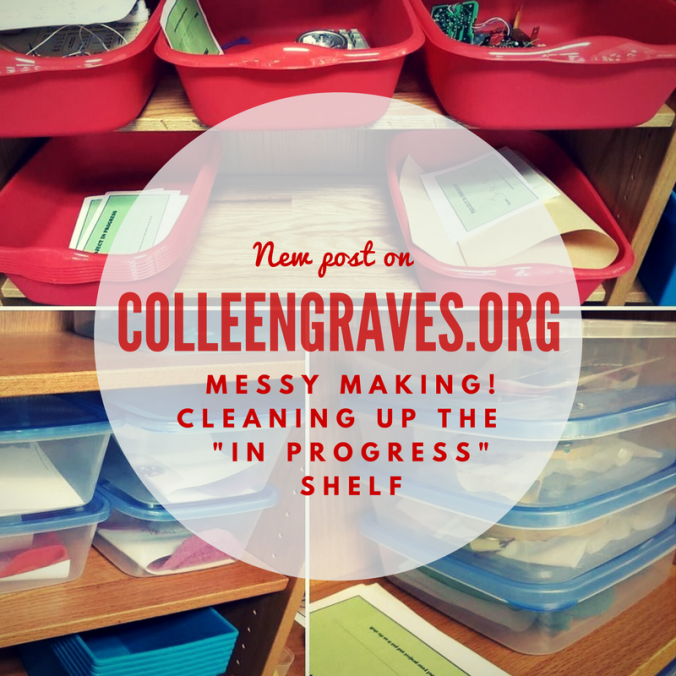
To combat messy shelves, lingering projects, missing names, and student interference with projects that were not their own, here is what I did. I bought containers, created signage, and created “expiration dates,” and a “re-purpose it bin.”

I went to the Dollar Tree to buy a plethora of storage containers. I wanted small containers for paper and sewing circuits, larger tubs for oversized work, and medium size containers for flexible work.

Since I’d recently moved all my makerspace storage items to a “classroom” area of the library, my previous shelving by the circulation desk was open for new business! This means we could do a better job keeping “in progress” projects safe! I also decided (again with the help of Leslie Terronez) that the BIGGEST problem in this area were that projects would turn “stale.” So I created an “expiration date” label to put on every bin.

Expiration Dates

Projects are labeled with a two week “expiration date” and can be “renewed” if a student needs more time to work. But this way, if a student starts a project, and doesn’t work on it again for two weeks, I won’t feel bad taking it apart and putting it away!

These red tubs are great for classroom projects (like our stop motion book trailers) and design challenge activities!

Signage

My student aides designed a “how-to” poster for the area, that I hung up next to my Canva made “Projects in Progress” sign. My favorite part is the declaration “We keep it safe!” They also made some “Project in Progress” slips for students to put their name and date on before tucking their bucket onto the shelf. The slips combined with a specific bucket, seem to be helping some students with remembering to put a name on their work!

Repurpose it Bin!

Lastly, we have two large bins at the bottom of this shelf labeled “Repurpose it!” Once student projects go “stale” or sit too long “in progress,” then my aides will move the items into the repurpose it bin (or back to maker storage if it isn’t a consumable item.)

Successes and New Problems

It will take awhile to teach students how to use the area properly since I’ve done this mid-year, but all in all, the area has stayed clean! Also, while we were knee deep in greenscreen and stop motion book trailers, the tubs just made sense to most students. They felt safe leaving their work, remembered to label their names, and came back the next day to finish working. Plus, the small tubs for paper circuits were considerably helpful when students were making “electric love letters” for Valentine’s day.

So, now I’m at point where I have to actually upcycle/recycle the stale student projects. It’s still difficult (for me personally), but will be easier with a clear date that shows me the student hasn’t been back in awhile.

And a new problem I’m experiencing is a student that is hoarding supplies. One of my frequent makers sees the “in progress” shelf as a great new way to hoard littleBits. He is working on a specific project, but happens to be utilizing almost every LED bit! His project is complicated, so I understand the need to save Bits so he can work from day to day, but I’m unsure how to get him to be respectful of others wanting to tinker with littleBits when he isn’t working on his project.

So how do you keep track of student maker projects in progress? Do you have a dedicated space? What works? Better yet, what doesn’t work? Share your successes and failures so the whole maker community can benefit!