How do you determine what is the best thing at which to toss resources (time,
money, etc.)?
money, etc.)?
As for me, I have a couple of different paths I take:
- I look at what items are trending on Twitter with my PLN – so right now that would be this Buddha Board. Which I’m not convinced I need yet, but I’m getting close to ordering one for my own kid to see if I like it.
- Exhibit halls at conferences help me get hands on experience. Last year at TCEA, I tried out Cubelets and decided I needed some for my MS students. But this year at TCEA, I didn’t see anything new!
- I talk with other librarians- I especially like chatting with public librarians. When I was researching the littleBits guide, I talked to quite a few librarians who had music sound booths in their libraries and I decided my HS students needed this! Then I had to do some research on the best midi sequencers, and I’m still not sure I did a great job on that one! (Plus, the software for the sequencers wasn’t approved in my district, so it took about 5 months to get through that process.) Although, now that we have the software, the kids are adamant to teach themselves how to edit sounds and music with Ableton and FL Studio.
- I do read a few blogs that I would say influence me, Renovated Learning by Diana Rendina, Andy Plemmons blog, Library as an Incubator , and Maker Bridge are great maker resources.
- I follow maker companies like Sparkfun and Makey Makey on FB and Twitter. They share lots of good ideas.
- Sometimes I research and use older stuff that is super cool. Right now I’m obsessed with teaching myself more about writing my own Arduino programs because I really like creating wearables with LilyPad controllers. I’m hoping to host another girls tech camp where I can teach girls how to use these to make their own creations.
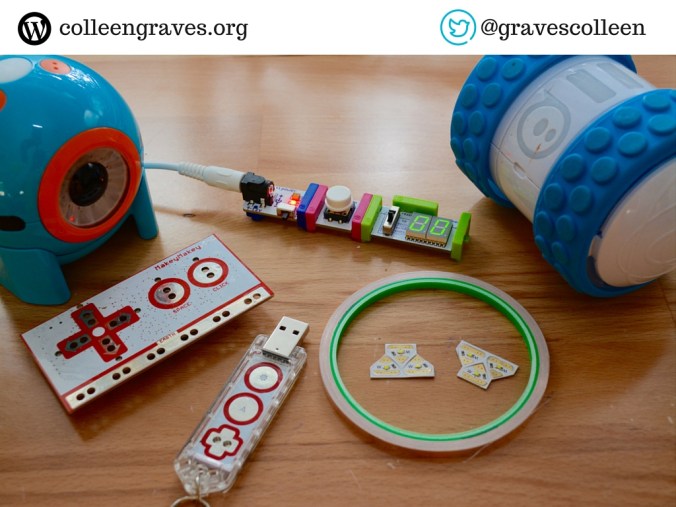
All of that said, hands-on experience is key for me. I tried Ozobots and didn’t think they were worth it. I tried Dash and Dot with much trepidation and now they are some of my favorite robots.
How about you all?
 Petite Texan: Pack, Pedal, Paddle