Hands-on Learning and Boosting Creative Confidence

I can

Leander Conference

What a week! I started the week by leading “Hands-on Makerspace Learning” for teachers and librarians in LeanderISD. I enjoyed sharing ideas with them, and then watching them gain creative confidence as they tinkered with materials to make paper circuits, simple robots, and even got silly programming bananas to play their laughter with Makey Makey. The teachers enjoyed tinkering with the new “Temperature sensor” littleBit and taught me a few things about how it works!

One of my favorite a-ha moments this week was seeing the natural collaboration that occurs when educators (or students) are making stuff. When students have to figure out how things work together, they gain the confidence to teach others the basic concepts, and they gain the confidence to persevere through problems. As a teacher, my favorite aspect of this, is hearing all the thinking my students go through as they try to solve a problem. Plus, it’s amazing to be able to hear the natural questions that arrive from those think- aloud sessions.

And even better than that? The smiling and giggles and laughter when they reach success! These Leander teachers realized they could even record their laughter in the Scratch program and then “play” the Play-doh to ignite the recording of their laugh!

So much fun learning/sharing #makeymakey w #LISDCIC Ts & @leanderisd_libraries today! #makered

A photo posted by colleengraves.org (@makerteacherlibrarian) on

Makey Makey Session

At TCEA on Wednesday, the #superlibrarianhubs and I led an hour and half workshop on utilizing Makey Makey in the classroom. We talked to teachers about how to get started with Makey Makey, how important it is to teach invention literacy, and to never ever ever eat the gummy worms from our Makey Makey workshop! HA!

One of the best things about this session was showing educators that teaching with Makey Makey is accessible! We gave them the confidence to go #beyondthebanana. As we walked the room helping session attendees create Scratch games for their celery, gummies, and bananas, we stumbled upon some great brainstorming sessions between educators!

I really love this sketch note from our session by Vanessa Perez. (What a great way to showcase her learning, but also share her learning with others! Teachers, I will be bugging you to use sketchnotes in your classes! For those of you that are new to sketch notes, it is not an app, it is an idea- it’s simply sketching your notes in a visual and non-linguistic way. As a learner, it’s a great way to focus on what is important and help retain ideas from a session or class!)

cax4ftlumaau0pd

Awesome Sketch Note by Vanessa Perez @vperezy

All of the lessons we shared are over on the Makey Makey page, but here is a copy of our presentation with pictures and others links if you are interested. Some of my favorite lessons are the Classify and Sort Lesson (because it makes students draw geometric shapes and then program them,) the Dual Language Lesson, and utilizing Makey Makey Hot Wheels switches for Distance, Rate, and Time.
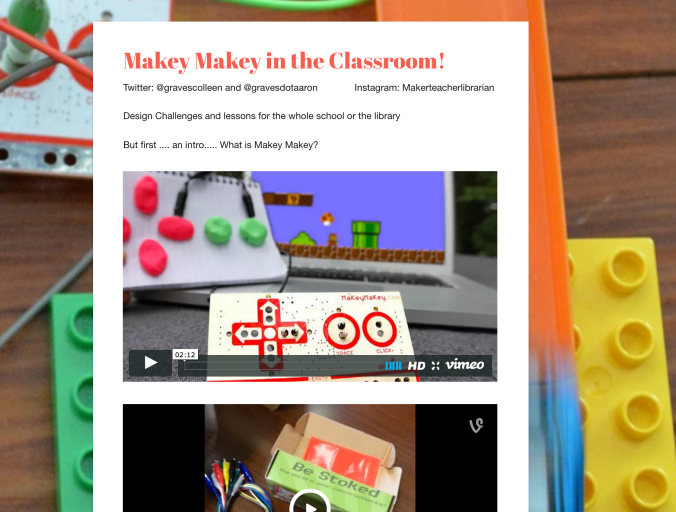
Screen Shot 2016-02-05 at 8.18.00 AM.png

Tackk for Makey Makey Session

Plus, you should take a look at the smiles and FRUIT from our Makey Makey session:

Makerspace for TCEA Library Academy

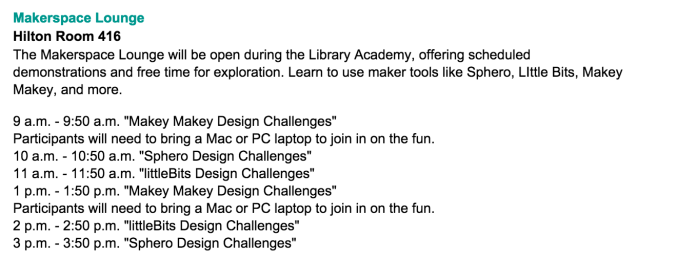
Thursday was a busy, busy day! We ran focused workshops every hour, but librarians were free to play with anything in the room. Some librarians stayed with us for a good 3 hours learning and making. Then they walked around the room and shared their new knowledge with other participants that were new to our pop-up makerspace.  Aaron, my ITS Leslie, and I were always nearby in case makers got frustrated and needed assistance. Having small, focused groups, helped librarians feel comfortable enough to sit down and explore. Sometimes, our educators just need time set aside for learning, I heard many people say things like, “Oh, I’ve seen littleBits/MakeyMakey before, but I don’t know what I would do with them.” Then they sat down, made things, and realized the power behind these cool inventions!

It was amazing to be able to offer new maker librarians a safe space to do some hands-on makerspace learning!
Screen Shot 2016-01-20 at 9.14.53 PM

One of my favorite moments was when a librarian asked, “If I put a fan on this temperature sensor, will it change the read out?”

To which I replied, “I don’t know. Let’s find out.”

Another librarian commented on how she liked the way I did that. I didn’t give a direct answer, I made her want to figure it out. I do it so often in my library makerspace that it’s second nature. If a student asks me if we have a book, I say the same thing, “I don’t know, let’s check the catalog together and find out. My goal as an educator is to empower students to find answers on their own. I’m nearby to assist when needed, but I always explain how the library system works because I want them to feel like they can walk in anytime and find what they need.

When teaching others about facilitating a makerspace, it is important to share that as maker librarians we should NOT give our makers “the” answer. We are here to build the path for them to explore and find an answer on their own. That personal road to discovery should also teach makers that there is more than one answer to a question and that there are many, many ways to solve a problem. In a makerspace, there is more than one solution to a problem.
In a makerspace, there is more than one solution to a problem.

Plus, if we don’t know, we can find out together. (Which reminds me of my last post, it is pertinent that we learn alongside our students.)  So, we set up a second set of bits with fans, and checked our temperature sensor to see the effect.

"Will the fan decrease the temperature?" #tcea16 @littlebits Let's find out! #library #makerspace

A photo posted by colleengraves.org (@makerteacherlibrarian) on

Take-aways from Leading the Learning This Week

Key phrases heard over and over this week by teachers and librarians at all sessions:

  • “I can do this!”
  • “Thank you for making this accessible.”
  • “I feel like I can try this!”
  • “I was scared of trying to incorporate a makerspace, but now I feel like I can do this.”
  • “Thank you for the time and space to explore!”
  • “I can’t wait to share this with my students!”
  • “My students are going to love this!”
  • “I can’t wait to see what my students do with this!”

So what does this mean for you, dear readers? Maker librarians, if you are wanting your teachers to collaborate with you on makerspace activities, you may need to set aside some time for your teachers to explore so they can make curriculum connections. If you are an administrator that wants this type of learning in your school, you need to give your teachers and librarians some hands on learning experiences. New to making educators? It’s okay (in fact, it is IDEAL) to learn alongside your students!

Robotics in the Library – Webinar Wrap Up

Edit 1/28: I replaced the link below with the original “register” link for SLJ and you should be able to register and watch the webinar!

Today I presented my thoughts on integrating robotics into library programming for a webinar presented by SLJ and ISTE.  You may still be able to register and watch the session starting tomorrow.  Here are the slides I made in Canva for the session:

This slideshow requires JavaScript.

To be honest, I’ve often said, “My students don’t do”full” robotic projects.” Then when I show other educators what my makers are doing in the library, they reply, “That’s a lot of robotics!”

So I think the term may need rebranding.

This conversation brings me back to this particular Twitter chat from the summer, where I said, “Oh we don’t really do that.” Then proceeded to show like 40 different robotic-type projects my students made…..

Robotics is not necessarily a team of afterschool students building a bot component by component and then battling in an arena (think Robot wars.)

Instead, I think it’s important to look at what we mean when we say “robot.” In 123 Robotics Experiments for the Evil Genius the first section tackles the ever changing definition of “Robots.” Here are some consistencies:

  • it is a mechanical device
  • it is programmable
  • it is a machine that is mobile
  • it is sensory
  • it sometimes mimics human behavior

Once you put it like that, then yes, my students at Lamar last year did many robotics projects with littleBits, Hummingbird robot kits, and of course even made their own simple machine vibro-bots.

Following this broad definition of robotics, I think working with pre-built robots like Sphero and Dash not only count as robotics they focus on one of the most important aspects – programming.

I like using these pre-built robots to teach my students the literacy of coding. I think it’s important that kids learn the language of coding because coding builds our apps, our webpages, and the many, many microcontrollers hidden in our electronic gadgets.

But another thing I love about robots are the open-ended challenges. Last week, I had BLAST students in for a design challenge with Sphero. The students were tasked with creating an obstacle course and then had to attempt programming Sphero to drive through their course. On top of that, we decided to make the entire exercise collaborative BETWEEN classes. So the first class designed the basic course, and the next class came and started adding dimension with cardboard and other recyclables. Some students even used littleBits to make “smart” obstacles.

Here is the beginning of the designing and thinking for this group project….

The next class of students really wanted to keep using the table (lower right picture in the above Instagram) as the starting base, but wanted a more secure ramp for Sphero. They built this, but it was too fast:

The last class wanted to fix the speed and still get Sphero to jump out of this cardboard tube, but they were having a problem with Sphero landing “safely.”

“J” was in this group and he said wanted to build something to “swing” Sphero down to safety. Just as a sidebar, “J” is in the library makerspace everyday. He comes quite often and helps others build things, but I hadn’t seen him take charge and build his own invention until he was introduced to this challenge.

He spent about 45 minutes working on an idea with K’NEX and I have to say, this 1 minute video below might’ve made my whole year.  In fact, here is my reaction I posted on Facebook later in the evening:

“This. So much THIS. This is why having a class come in and attempt to solve a problem or complete a design challenge is AWESOME. The kid who made this Rube Goldberg-like invention out of K’NEX, comes in all the time and “messes around in the makerspace.” Today, the problem of building an obstacle course for Sphero, challenged him to think outside of his normal making routine. He decided to make a “swing” so that Sphero could safely come out of this crazy ramp. He spent his entire lunch working on it. AND IT IS AWESOME and simple and it works. Unfortunately, I did not capture the video footage of him shouting, “Yes! YES! I did it! I made a contraption and it works! After so many fails!”


This is where we can really start talking about the impact of robotics and makerspaces at school. How does this type of learning engage students? How does it help them learn to problem solve? How does it help them become innovators?

Without the problem created by the other students of incorporating this table base and ramp into his group’s design, would “J” still have made this invention?

Plus, the next day, he came to the library early and showed his other friends “his invention.” He practiced the “blind driving” exercise his teacher assigned because he wanted to be the best at communicating and driving his own course. Then all of his friends (who are not in the BLAST class) all took turns driving the course BEFORE SCHOOL EVEN STARTED!

I shared this story during the webinar and I loved Sharon Thompson’s take on it. She spoke about “J” wanting to persevere and complete this project, even though his designs kept “failing.” She spoke about the secret power robotics and coding possess by teaching our students to persevere. Her idea is that students do not get frustrated when they write the wrong line of code and get an error message. When they build a robot that fails they do not take it personal. It isn’t the same as a “red mark” on a paper. I tend to agree. Plus, I love seeing this group of kids excited about learning and excited about thinking! (I could write about this all day, but I’ve got to save some of it for the ABC-Clio book the #superlibrarianhubs, Diana Rendina, and I are working on!)

Links pertinent to my presentation:

Early Childhood- Middle Grade Robots

Upper Elementary to Middle School

Middle school to High School

Other Maker Resources