ISTE 2016 was a whirlwind of crazy, awesome, edtech fun with amazing people! It was my first time at this international conference and I was excited to present on three different days! Thanks to Kristi Taylor for designing this awesome Scratch-inspired shirt based on my idea to have a coding shirt that would command a “program for life.” I’ll warn you now this post is tweet heavy because I’ve got to get back to writing book numero dos!
Getting Girls Involved in STEM
Diana Rendina, Bev Ball, and I did a super quick and information packed snapshot on getting girls involved in makerspaces and STEM on Monday. We feel that it is important to make space for girls and make sure they don’t get pushed out of our makerspaces by overly enthusiastic boys.
No offense guys- just think of it like ladies night- there is something empowering about getting a group of girls together. Without boys around, girls who normally experience “loss of voice” seem to gain confidence in finding their voice at school. At my own #GirlsinTech camp, most of the attendees were the perfect example of girls in high school who usually experience “loss of voice.” We identify these students as girls who get great grades, behave, and generally just sit quiet as a mouse in class. A lot of times, they get overlooked because they are so quiet.
For our session, Diana, Bev, and I have very different methods for getting girls involved, so it was super cool to present with these awesome ladies. Diana and I are taking the conversation a little further by incorporating steps for getting girls involved in every chapter of our new book: Challenge Based Learning in the School Library Makerspace.
Takeaways from our Session:
- Combine low tech and high tech
- Incorporate free choice, craft, and experimentation
- Set aside time for girls
- Girls thrive on problem-solving combined with creativity
- Create mentor partnerships so students can learn from mentors and students can become mentors!
Full slides of our presentation are available here.
Maker Challenge
The AmazonEdu Maker Challenge hosted by Nicholas Provenzano (aka The Nerdy Teacher) was AMAZING! Talk about a community-driven maker focused session! It was such a whirlwind experience and definitely replicable in your own makerspace. Nicholas and I co-wrote about the experience and you can read it here on the Follett Community blog.
What I loved about the experience was that it almost exactly replicated what happens in my library makerspace. We were issued a challenge: “Hack a classroom activity or procedure” and then given two hours to come up with a solution. My partner and I talked and laughed and came up with quite a silly solution. We got into the fever of making and before I knew it, I looked up and our time was over! And I was ready to share and then make something new!
Takeaways from the Maker Challenge:
- Go read about how the whole challenge went down on the Follett Community blog
- Making is Messy
- Let your community drive your makerspace
- Include student voice and choice in all maker activities
- Work together! Even during a Challenge!
Knights of Make-A-Lot
First, I have to tell you that I never met Nathan face to face until five minutes before our session. And I think he is one AWESOME DUDE!
This session was unlike anything I’ve ever done! While it was somewhat like a traditional panel, Nathan brought his own brand of awesomeness. I loved listening to what he said and piggybacking his thoughts. He called this, “Cliffnotes for Nathan.”
Guillermo from Tinkercad actually broadcast half of our session live here.
Takeaways from this panel:
- Cliff Notes for Nathan: “Embrace the mess”
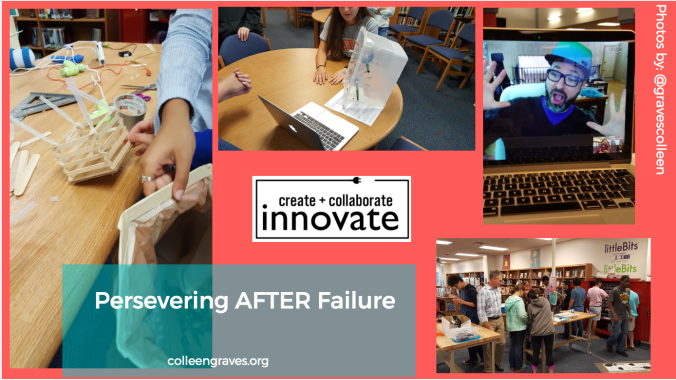
- Fail Forward aka learn from mistakes and perservere through failures.
- The key to a successful makerspace is building a maker community. It is not about the STUFF, it is about the PEOPLE!
Sparkfun Tour
On Sunday, Jeff Branson picked up me and other awesome tech educators and drove us to Boulder for a tour of BLDG61 at Boulder Public Library and then to Niwot for a tour of Sparkfun! One of my favorite things about touring Sparkun (other than that it felt like I was going to float down the chocolate river like Augustus Gloop and get lost in a sea of awesomeness) was seeing all of the cool stuff from my favorite Sparkfun tutorials! Like the actual monstie stuffie from Sew Electric, and the giant Bare Conductive Wall. The work environment was a mashup of fun, college dormroom, and well- a ton of PERSONALITY.
Boulder Public Library is one of the most beautiful and relaxing libraries I’ve ever seen! Wowza! Finding the makerspace was a bit of a scavenger hunt, but man, what a cool place! I’m so glad Janet invited us to visit! Upon arrival I found a group of people fixing a chandelier, a retired gentleman firing up the laser cutter to put his design on wooden cups he’d crafted, and was surrounded by cool stuff that the Creative Technologist had made to personalize the space. In short- it was PERFECT! BPL, converted an old workshop into a makerspace which I think is a pretty perfect way to add creativity and self-reliance to library programming.
F2FOMG
After 4 days of meeting people I knew from social media face to face, Diana and I ran into Carrie Baughcum (aka rad sketchnoter Heck Awesome) and we all decided that we needed a word or hashtag to describe meeting your social media friends. Because there is a very interesting moment that happens when you meet someone after a session, then read their nametag and realize they are one of your favorite Twitter/Instagram/etc peeps. Read Carrie’s post about how #F2FOMG was born because it perfectly describes this energetic experience and the best thing about going to an edtech conference….. people!
And I met so many amazing people at ISTE that I have been friends with for the last year! It’s so great to finally meet and hang out in person with educators: Diana Rendina, David Saunders, Kristina Holzweiss, Nicholas Provenzano, Elissa Malespina, Sherry Gick, Kathy Schmidt, and Donna Macdonald. Super cool to meet makers: Andrew Miller from Makerspaces.com; Jie Qi and Patricia from Chibitronics; and the whole gang from littleBits– Ayah, Nick, Ted, and Christina! Plus, it’s always awesome to see Coloradans: Jeff Branson, Bev Ball, Shannon Miller, and Ashley Kazyaka!
I was so excited to meet Ayah Bdeir the founder of littleBits! She thanked me for writing the Librarian’s Guide to littleBits and everything I’ve done to promote hands-on learning and the maker movement. (That was pretty dang cool. 🙂
Other Session Highlights
I went to some amazing workshops and sessions- here are just a few highlights to entice you to go to ISTE 2017 in San Antonio!
Processing workshop and Art-Duino with Sparkfun
What a most excellent way to download a new skill- a workshop with Sparkfun educators Derek Runberg and Jeff Branson! I loved having the time set aside to learn with these experts! One of the most important things I learned during this workshop was to comment back to myself when writing code because it helps DEBUG when you run into problems! Thank you, Jeff! This has already helped me in a few projects since I got back from ISTE!
The Art-duino workshop with Brian Huang was pretty rad too. I was able to hack the blink code for a fading effect, but I still wanna tinker with this code and make even cooler art projects with Arduino.
Pernille Rip
If you ever get the chance to hear this awesome reading educator in person…. GO GO GO! I loved every single thing she said! I can’t stress the importance enough of listening to students about reading choices, independent reading, and giving them TIME IN YOUR CLASSROOM to read, reflect, and write.
Two Guys with an Ipad
These two guys tried to make me cry a lot with the videos they showed, but they just did a phenomenal job of talking about the importance of being an educator and putting children first. Plus, they hit on one of the themes I’m noticing pop-up over and over in sessions, conferences, and education panels. We do not want to encourage our students to fail, but rather, we have to teach them that the key to success is persisting through failure. When you fall, get up and try again!
ISTE 2017?
ISTE is in my home state next year! San Antonio! I hope you’ll come, you’ll present, you’ll learn from other awesome educators, and most importantly, you’ll say “howdy” and make some awesome life-long connections.


 Petite Texan: Pack, Pedal, Paddle