The story behind how I came to write these lessons is a pretty good one, and I was going to share it with you in a super long post, but I had a very enjoyable little fireside chat with the Makey Makey team and they’ve got the whole feature on their blog. Plus, I think this conversation really captures the philosophy behind my idea of why the makerspace is located in our library.
The lady behind our swish new suite of Makey Makey lessons gives us the skinny on how it all came together, and explains how a new breed of ‘teacher librarians’ are disrupting mainstream education with some maker mischief.

A little about you please…
I’m from Denton, Texas, where I work at a local High School as a teacher librarian. This is my thirteenth year teaching teenagers! I taught English and Reading courses for nine years and this is my fourth year as a librarian. I’ve always been a maker as I have a degree in photography and a knack for sewing.
Hold up… ‘teacher librarian’? Surely one can’t be both?!
Indeed they can! We have the freedom to champion off-curriculum stuff without the constraints of officially sanctioned learning. But that doesn’t mean we don’t teach…
There’s a new kind of librarian emerging — and it’s not just me, there are others — that’s determined to give kids somewhere to experiment: a dedicated ‘makerspace’ in their libraries.
We’re listening…
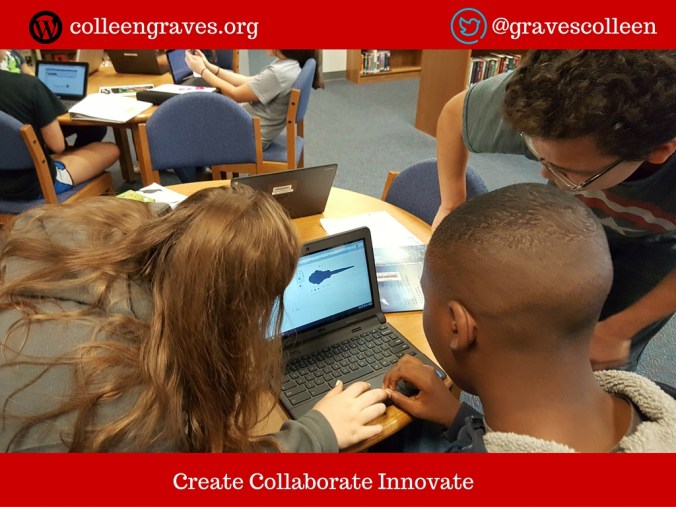
A makerspace is somewhere kids can try and make whatever they want. Letting them tinker and not giving them straight instructions teaches them that there are many different ways to problem solve. The important part is getting kids to use technology and not just consume it. I tell my students: ‘Stop playing games and make something!’
When I first started working in a school library, I knew I wanted a makerspace for my students At the time, the concept was still very loose, but for me, I just wanted a place where a kid could make anything they wanted. But these kinds of activities aren’t covered in typical curriculum.
How involved are other teachers in ‘making’?
While there is definitely a maker movement infiltrating the schools system — and a good level of support for makerspaces from school admin, principals, as well as school districts — a lot of teachers have yet to realise just what devices like Makey Makey can do.
Some do get involved in maker initiatives. There’s an obvious link with the sciences, for example. But technology’s so ingrained in kids’ lives today, there’s a real opportunity for those teaching all kinds of subjects to use tech like Makey Makey in their lessons.
So when did you first encounter Makey Makey?
In 2012 when I was writing a grant for makerspace supplies, I came across the almighty banana piano. It was love at first sight. I started tinkering with Makey Makey soon after, when working at a middle school. But we got a little more crazy last year when a school in Florida invited my school to take part in a Makey Makey Challenge.

Which brings us neatly onto how you came to write the lesson plans! Do tell…
Over the last few years, I’ve become a bit of an advocate for Makey Makey’s use in education. After I spoke at a couple of teacher’s conferences, I started getting emails and tweets from other teachers asking for tips and ideas on using Makey Makey in school, so I wanted to create a resource that anyone involved in education could pick up and run with.
Earlier this year I tweeted JoyLabz and told them we were looking for some new ideas on using Makey Makey beyond the banana. The JoyLabz team invited us to Skype with them, and ended up doing an entire Q&A session with the whole class. Jay and the guys were great; they really inspired the students; telling them they were awesome and encouraging them to ‘just start doing stuff’, which really gave them some creative confidence. We kept in touch, and I told the guys they needed some lesson plans… they told me to go ahead and write them. So I did!
Were you already teaching the lessons, or did you create them for this project?
I’d done the game controller lesson and the interactive room challenge before; the rest I created for this project. At first I felt weird about drawing up an ‘official’ set of lesson plans — since maker education is all about tinkering to learn — but the goal was to create 10 of them that showed how Makey Makey could be used in a range of subject areas.

How well have people engaged with the lesson plans so far?
Great! It’s early days, but over the summer lots of people have been contacting me with questions and I’ve had requests from lots of schools; I’ve even heard from a community college that they are busy instructing their faculty on utilizing Makey Makey in their academic courses! It seems lots of teachers are now taking notice, and those who ‘get it’ are teaching others; particularly as more school administrators are buying Makey Makeys as learning resources.

What is it about Makey Makey that makes it such an important educational tool?
I love its versatility. Makey Makey is a great entry point into STEM (science, technology, engineering and math) subjects, and can be used to enhance learning across a broad range of others. It’s the ideal tool for fostering the next generation of innovators and problem solvers.
I started with Arduino, which can be very difficult for beginners. Makey Makey is so much simpler to use if you’re just starting out. The levels of complexity can be scaled up and down. This summer I taught the logic puzzle class (designed for teens) to some six year olds. I scaled back the more complex elements, and it was great — all of them enjoyed it. I tried to design all the lessons that way by making them easy to hack. Learning as you go is as much a part of the process for me as it is for the students.

What’s next for the lesson plans?
I’ve always thought of them as somewhere to start — a way in. I’d really like someone to take the resources and make them even more phenomenal.
I ‘might’ also be working on a project book for makerspaces that will showcase a few new Makey Makey lessons… watch this space!
Thanks Colleen!!
Colleen’s always happy to hear from fellow teachers, librarians, and makers. Tweet her @gravescolleen with any questions, advice, or ideas! To find out more about her work, read her recent Edutopia article or visit her blog to read about her makerspace obsessions.


Pictures by Liz Haas and Colleen Graves

 Petite Texan: Pack, Pedal, Paddle